En resumen: Esta hoja de referencia de XPath recoge la sintaxis, los predicados, los ejes y las funciones que realmente necesitas para el web scraping, además de una tabla de conversión de CSS a XPath y ejemplos ejecutables con Puppeteer y Scrapy. Úsala como guía de consulta la próxima vez que un selector CSS deje de funcionar sin previo aviso en un sitio web del que dependes.
Introducción
Has llegado aquí porque un selector ha dejado de funcionar, el diseño ha cambiado o alguien de tu equipo te ha dicho que «simplemente uses XPath» y lo quieres en una sola página. Es comprensible. Esta hoja de referencia de XPath está pensada precisamente para ese momento: un desarrollador de scrapers en mitad de un proyecto que necesita sintaxis, ejemplos y algunas reglas de resiliencia sin tener que desplazarse por un tutorial.
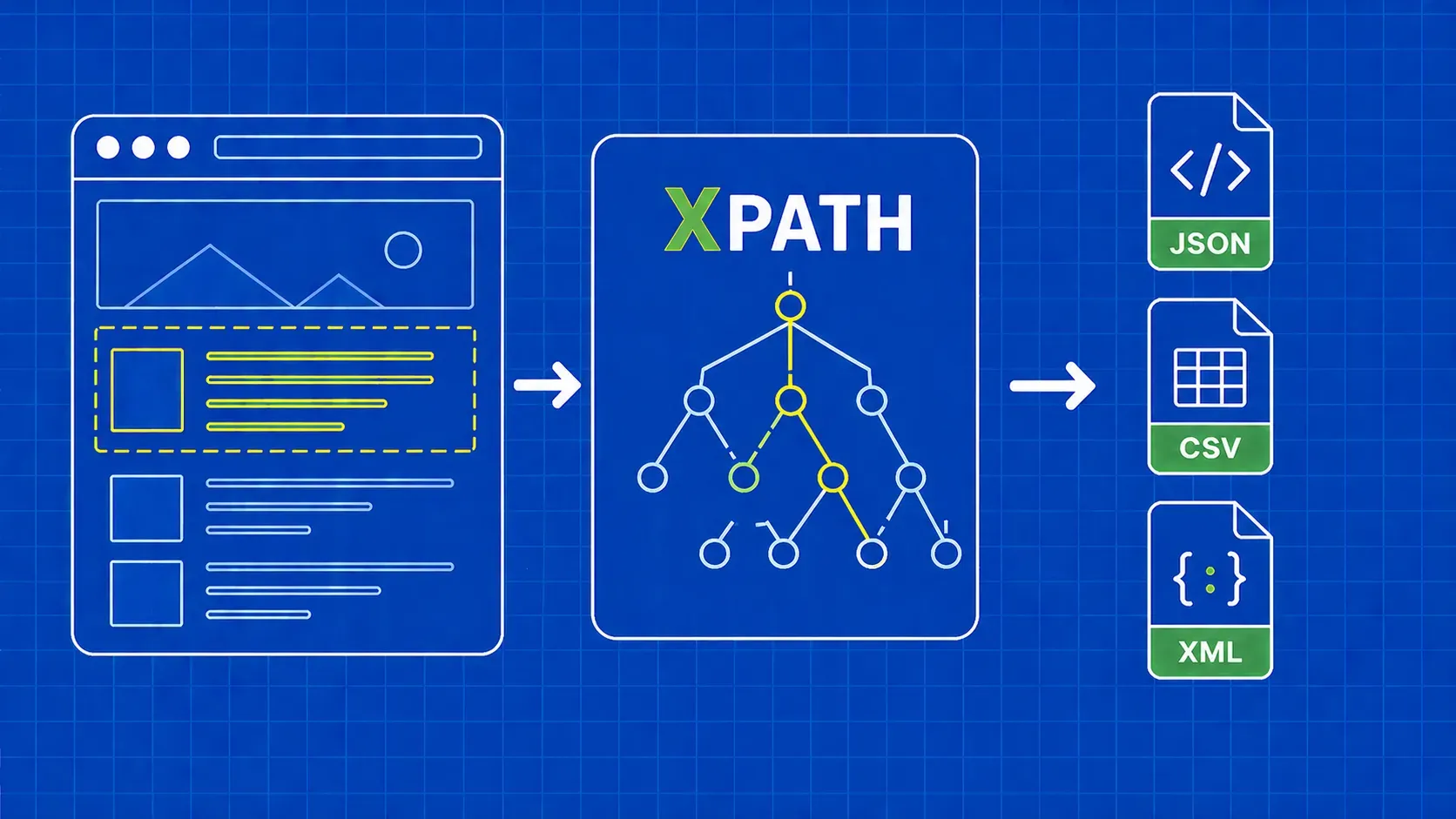
XPath, abreviatura de XML Path Language, es un lenguaje de consulta que utiliza expresiones de estilo ruta para navegar por documentos XML y similares, incluido el HTML. En un contexto de scraping, esto te ofrece algo que los selectores CSS no pueden: la capacidad de recorrer el árbol hacia arriba, buscar coincidencias por texto visible y encadenar condiciones como una pequeña lógica de predicados. Cubriremos la sintaxis básica, los predicados, los ejes, las funciones más útiles, las pruebas en el navegador, una tabla de traducción de CSS a XPath y dos breves ejemplos prácticos en Puppeteer y Scrapy que puedes incorporar a un proyecto hoy mismo. Al final, deberías ser capaz de leer un fragmento de HTML, escribir un selector que sobreviva a pequeños cambios en el DOM y verificarlo antes de lanzarlo.
Qué es XPath y por qué es importante para el web scraping
XPath es el lenguaje de rutas XML: una sintaxis de consulta que recorre el árbol del documento utilizando expresiones de estilo ruta para identificar nodos. Los navegadores exponen el DOM HTML como un árbol similar al XML, por lo que XPath funciona para el web scraping aunque el HTML no sea XML estricto. Es un elemento central del estándar XSLT y aparece en todas las herramientas XML y en la mayoría de las pilas de scraping.
Entonces, ¿por qué lo eligen los desarrolladores de scrapers? Por tres razones. En primer lugar, XPath puede moverse tanto hacia arriba como hacia abajo en el árbol, mientras que los selectores CSS solo se desplazan hacia abajo y lateralmente. En segundo lugar, puede hacer coincidir nodos por su texto visible, lo cual es muy valioso cuando las clases son aleatorias pero las etiquetas son estables. En tercer lugar, permite encadenar condiciones en una sola expresión. Esta hoja de referencia de XPath cubre todas las primitivas que necesitas para utilizar esas capacidades en producción.
Cómo interpreta XPath una página: rutas, nodos y pasos
Una expresión XPath es una ruta compuesta por pasos. Cada paso tiene un eje (en qué dirección mirar), una prueba de nodo (qué tipo de nodo buscar) y cero o más predicados (filtros entre corchetes). La mayoría de las veces el eje es implícito porque child:: es el valor predeterminado, razón por la cual funcionan formas abreviadas como //div/span funcionan.
Tomemos //div[@class='quote']/span[1]. El // es una forma abreviada del descendant-or-self:: , por lo que esto se lee como: encuentra cualquier div cuyo class atributo sea igual a quote, y luego toma el primer span hijo. Hay tres tipos de nodos que te interesan: nodos de elemento (div, span), nodos de atributo (@class, @href) y los nodos de texto a los que se accede mediante text(). Los predicados utilizan una indexación basada en 1, por lo que [1] es la primera coincidencia, no la segunda.
Prueba las expresiones XPath en tu navegador
Antes de escribir una sola línea de código de scraper, comprueba que la expresión funciona en el navegador. Hay dos flujos de trabajo que cubren la capa de pruebas de la hoja de referencia.
Ctrl+F (Cmd+F) dentro del panel Elementos. Abre DevTools en Chrome o Firefox, haz clic en la pestaña Elementos y, a continuación, pulsa Ctrl+F o Cmd+F. La barra de búsqueda admite selectores CSS y expresiones XPath, y la página resalta cada coincidencia en el árbol DOM junto con un recuento como «3 de 12». Esta es la forma más rápida de probar la selectividad.
El $x() ayudante de la consola. Cambia a la pestaña Consola y ejecuta $x("//div[@class='quote']"). El ayudante devuelve las coincidencias como una matriz de JavaScript, por lo que puedes profundizar más con $x("//a/@href").length. Según la documentación actual de los proveedores, $x() se incluye en DevTools basado en Chromium y en DevTools de Firefox, aunque deberías comprobarlo en la versión de tu navegador de destino. Como decía un artículo de ingeniería, se trata de «un ejercicio estupendo para probar tus expresiones antes de dedicar tiempo al editor de código y sin sobrecargar el servidor del sitio».
Para obtener una referencia más detallada sobre el lenguaje en sí, la documentación de MDN sobre XPath es el punto de partida más fiable.
XPath frente a selectores CSS: un marco de decisión rápido
Los selectores CSS suelen ser más cortos y fáciles de leer, por lo que muchos desarrolladores consideran el CSS como el estándar y recurren a XPath solo cuando el CSS no puede expresar la consulta. Esa perspectiva es una opinión, no un punto de referencia, pero se corresponde con la forma en que evolucionan la mayoría de los códigos de producción. La regla de oro es: elige el selector más sencillo que resista un pequeño cambio en el DOM.
Utiliza esta tabla como criterio de desempate en nuestro debate sobre XPath frente a los selectores CSS:
|
Situación |
Elige |
|---|---|
|
Estable |
CSS |
|
Necesidad de recorrer hasta un padre o antepasado |
XPath |
|
Coincidencia por contenido de texto visible |
XPath |
|
|
En cualquier caso, CSS es más breve |
|
Múltiples condiciones en un elemento |
XPath (cadenas de predicados) |
|
Línea rápida para una estructura conocida |
CSS |
|
Marcado profundamente anidado o irregular |
XPath |
Los selectores CSS no tienen parent:: dirección y no pueden filtrar por texto, por lo que cualquier patrón del tipo «haz clic en la fila que contenga 'Activo'» es, naturalmente, territorio de XPath.
Hoja de referencia básica de XPath: fundamentos sintácticos
Estos son los componentes básicos sobre los que se construyen todas las demás secciones de esta hoja de referencia de XPath. Una expresión XPath tiene, como mínimo, un nombre de etiqueta, opcionalmente un atributo y, opcionalmente, un valor para ese atributo. Los predicados y las funciones se superponen a estos.
|
Símbolo |
Significado |
Ejemplo |
Se lee como |
|---|---|---|---|
|
|
Selecciona desde el nodo raíz |
|
El |
|
|
Abreviatura de «descendiente o sí mismo» |
|
Cualquier |
|
|
Nodo actual |
|
Un |
|
|
Padre del nodo actual |
|
El elemento padre de cualquier |
|
|
Selector de atributos |
|
El |
|
|
Cualquier nodo de elemento |
|
Cualquier elemento hijo de cualquier |
|
|
Etiqueta filtrada por igualdad de atributos |
|
Cada |
|
`expr1 \ |
expr2` |
Unión de dos expresiones |
`//h1 \ |
//h2` |
Todos |
Un modelo mental útil: / te ancla en algún lugar, el nombre de la etiqueta nombra el paso, el predicado filtra el paso. La sintaxis XPath más resistente en los rastreadores reales es una cadena de predicados de atributos separados por /, no una ruta posicional desde la raíz.
Predicados: filtrado por índice, atributo y condición
Los predicados son las condiciones entre corchetes que convierten un paso genérico en uno preciso. Se pueden encadenar y se evalúan de izquierda a derecha. Recuerda que los predicados XPath se basan en 1, por lo que //li[3] es el tercero li, no el cuarto.
Patrones comunes que reutilizarás:
|
Predicado |
Qué hace |
|---|---|
|
|
El enésimo elemento coincidente. |
|
|
La coincidencia final. |
|
|
Las tres primeras coincidencias. |
|
|
Igualdad exacta de atributos. |
|
|
Coincidencia de subcadena en un atributo. |
|
|
Coincidencia de prefijo en un atributo. |
|
|
Negación de cualquier predicado. |
|
|
Múltiples condiciones en un elemento. |
Se pueden encadenar predicados: //div[@class='quote'][position()<=5] muestra las cinco primeras citas. Para profundizar en la decisión a nivel temático entre cadenas de predicados y pseudoclases CSS, consulta nuestro artículo complementario sobre selectores XPath frente a selectores CSS.
Ejes: recorrido ascendente, descendente y transversal del DOM
Aquí es donde XPath se lleva la palma frente a CSS. Un eje indica en qué dirección desplazarse desde el nodo de contexto, y la forma explícita axis::node-test permite movimientos que CSS no puede realizar. Esta página de la hoja de referencia de XPath trata los ejes de XPath como una sección de primer orden, con un uso de scraping por fila.
|
Eje |
Qué devuelve |
Ejemplo de extracción |
|---|---|---|
|
|
Hijos directos (el eje predeterminado) |
|
|
|
Todos los descendientes |
|
|
|
La |
|
|
|
El padre inmediato |
|
|
|
Todos los antecesores hasta la raíz |
|
|
|
Lo mismo, más el propio nodo |
Útil cuando la coincidencia puede ser el contenedor o un hijo. |
|
|
Los hermanos después de este nodo |
|
|
|
Hermanos antes de este nodo |
|
|
|
Atributos del nodo ( |
|
|
|
El nodo actual |
Utilizado en predicados: |
Los dos que usarás constantemente son ancestor:: y following-sibling::. following:: y preceding:: También existen los ejes, pero rara vez son necesarios.
Comodines y pruebas de nodos
Los comodines relajan la prueba de nodo en un paso, lo cual resulta útil cuando las etiquetas difieren pero la estructura no.
|
Token |
Coincidencias |
|---|---|
|
|
Cualquier nodo de elemento. |
|
|
Cualquier nodo de atributo. |
|
|
Cualquier nodo, incluyendo texto y comentarios. |
|
|
Solo nodos de texto. |
|
|
Comentarios HTML, ocasionalmente útiles para el scraping basado en marcadores. |
La diferencia clave: //div/* omite el texto y los comentarios, mientras que //div/node() los incluye. Utiliza text() cuando quieras específicamente cadenas.
Funciones XPath esenciales para el scraping
Las funciones dentro de los predicados son la forma de manejar el desordenado HTML del mundo real: espacios en blanco extraños, nombres de clase dinámicos, discrepancias de mayúsculas y minúsculas y recuentos. Estas funciones XPath cubren aproximadamente el 95 % de los casos de scraping.
Funciones de cadena
|
Función |
Ejemplo |
Caso de uso |
|---|---|---|
|
|
|
Coincidir con nombres de clase dinámicos o compuestos. |
|
|
|
Filtrar enlaces internos de productos. |
|
|
|
Solo XPath 2.0. En XPath 1.0, utilice |
|
|
|
Eliminar los espacios en blanco circundantes antes de comparar el texto. |
|
|
|
Convertir a minúsculas para una coincidencia que no distinga entre mayúsculas y minúsculas. |
|
|
|
Extrae una parte del valor de un atributo. |
Funciones numéricas y de nodos
|
Función |
Ejemplo |
Caso de uso |
|---|---|---|
|
|
|
Número de filas en una página de resultados. |
|
|
|
Seleccionar nodos con índice par. |
|
|
|
El último elemento, independientemente de la longitud. |
|
|
|
Filtrar por etiqueta de forma dinámica. |
|
|
|
Omitir entradas desactivadas. |
Para salidas que solo contienen atributos, una llamada de estilo función como string(@href) , garantiza que obtengas el valor como una cadena, no el nodo de atributo, lo cual es importante en algunos rastreadores al encadenar con una expresión regular o un paso de recorte.
Tabla de traducción rápida de CSS a XPath
Si tu equipo piensa en CSS porque vienes de BeautifulSoup o Cheerio, esta tabla es una ayuda rápida para la migración. Los equivalentes de la hoja de referencia de XPath no siempre son más cortos, pero siempre son más expresivos.
|
CSS |
XPath |
|---|---|
|
|
|
|
|
|
|
|
|
|
|
|
|
|
|
|
|
|
|
|
|
|
|
|
|
|
|
|
|
|
|
|
|
|
|
|
|
|
|
El concat(' ',normalize-space(@class),' ') patrón parece feo, pero es la forma más segura de imitar la semántica de las clases CSS en XPath, ya que XPath 1.0 no tiene un operador nativo de «token en una lista separada por espacios». Para ver una guía comparativa organizada por características CSS, consulta nuestra hoja de referencia de selectores CSS.
Ejemplo práctico: extracción de datos con Puppeteer y Scrapy
Para demostrar que la misma expresión funciona en diferentes entornos, aquí hay dos pequeños rastreadores que acceden a quotes.toscrape.com y extraen cada cita y su autor. Hemos confirmado en DevTools que //div[@class='quote'] encuentra aproximadamente diez citas en la página de inicio en el momento de escribir este artículo, lo que coincide con lo que muestra la página renderizada.
Puppeteer (Node.js). Inicialice el proyecto con npm init -y y npm install puppeteer, y luego inserta esto en index.js. Ten en cuenta que las versiones recientes de Puppeteer han adoptado las API de localización, así que comprueba page.$x la versión de tu package.json.
import puppeteer from 'puppeteer';

const browser = await puppeteer.launch();
const page = await browser.newPage();
await page.goto('https://quotes.toscrape.com/');

const rows = await page.$x("//div[@class='quote']");
const out = [];
for (const row of rows) {
  const text = await row.$eval("span[@class='text']", el => el.textContent);
  const author = await row.$eval("small[@class='author']", el => el.textContent);
  out.push({ text, author });
}
console.log(out);
await browser.close();
Scrapy (Python). Dentro de una araña, response.xpath acepta las mismas expresiones y expone .get() y .getall() para la extracción de uno o varios valores.
def parse(self, response):
    for q in response.xpath("//div[@class='quote']"):
        yield {
            "text": q.xpath(".//span[@class='text']/text()").get(),
            "author": q.xpath(".//small[@class='author']/text()").get(),
        }
Según los informes de la comunidad, Cheerio y Beautiful Soup no admiten XPath directamente, por lo que Scrapy o lxml es la combinación habitual en Python, y Puppeteer o Playwright la de JavaScript. Comprueba las versiones que tienes instaladas antes de estandarizarte en cualquiera de ellas. Para un recorrido completo del proyecto, nuestras guías de Scrapy y Puppeteer cubren la configuración, la programación y el cableado de proxies.
Consejos para escribir XPath resistente en rastreadores de producción
Cinco reglas cierran la hoja de referencia, aprendidas a base de errores con arañas que se estropearon a las 3 de la madrugada:
- Evita las rutas absolutas que empiecen por
/html/body/.... Dejan de funcionar con el primer cambio de diseño que realiza un diseñador. - Prefiere los predicados de atributos a los índices posicionales siempre que haya un
classodata-*. - Envuelve las comparaciones de texto en
normalize-space()para que los espacios en blanco iniciales y finales no puedan romper silenciosamente las comprobaciones de igualdad. - Utilice
contains()para los nombres de clase dinámicos yorpara gestionar variantes conocidas://a[contains(@class,'btn-primary') or contains(@class,'btn-cta')]. - Mantén los selectores descriptivos.
//div[@class='quote']/span[@class='text']soporta más rediseños que//span.
Puntos clave
- XPath supera a CSS cuando necesitas recorrer el árbol hacia arriba, buscar coincidencias por texto visible o encadenar múltiples condiciones en un único selector.
- La sintaxis básica es sencilla:
/,//,.,..,@, los predicados y el operador de unión cubren la mayoría de las expresiones de esta hoja de referencia de XPath. - Los ejes son la característica que más justifica el cambio desde CSS, y
ancestor::,following-sibling::, ypreceding-sibling::son los tres que más utilizarás. - Comprueba cada expresión en DevTools con Ctrl+F o
$x()antes de integrarla en un scraper. Es más rápido que volver a implementar una araña defectuosa. - Un XPath seguro para producción se basa en los atributos,
contains(), ynormalize-space(), y se mantiene alejado de las rutas posicionales codificadas de forma rígida.
Preguntas frecuentes
¿Funciona XPath de la misma manera en Selenium, Puppeteer, Playwright y Scrapy?
En general sí, con dos salvedades. Los cuatro motores aceptan expresiones XPath 1.0 y devuelven los nodos coincidentes, pero los métodos de envoltura difieren: Selenium utiliza find_element(By.XPATH, ...), Scrapy utiliza response.xpath(...), Playwright utiliza page.locator("xpath=..."), y Puppeteer solía usar page.$x() , aunque las versiones recientes prefieren las API de localización. Comprueba la versión de tu biblioteca antes de copiar y pegar código de tutoriales antiguos.
¿Por qué mi XPath funciona en Chrome DevTools pero no devuelve nada en mi script de Python?
Casi siempre es porque la página renderiza el contenido con JavaScript y tu script ha obtenido el HTML sin procesar, por lo que los nodos que muestra el navegador no existen en la respuesta. Confírmalo viendo el código fuente de la página con Ctrl+U en lugar de la pestaña «Elementos» renderizados. La solución es utilizar un navegador sin interfaz gráfica como Playwright o llamar a un punto final JSON documentado al que accede la página.
¿Cómo escribo una coincidencia XPath que no distinga entre mayúsculas y minúsculas para texto o atributos?
XPath 1.0 no tiene lower-case() función, por lo que la solución habitual utiliza translate() para plegar caracteres: //a[translate(text(),'ABCDEFGHIJKLMNOPQRSTUVWXYZ','abcdefghijklmnopqrstuvwxyz')='shop']. Si tu motor es compatible con XPath 2.0 o 3.1, lower-case() y la matches() función regex son mucho más limpias. Prueba siempre ambas ramas primero en el navegador.
¿Cómo puedo extraer un elemento cuyo nombre de clase cambia cada vez que se carga la página?
Fíjate en algo estable: un atributo como data-id o aria-label, un elemento hijo con una etiqueta y un texto fijos, o un punto de referencia padre. Si solo una parte de la clase es estable, contains(@class,'product-card') funciona. Cuando incluso eso es dinámico, sube hasta un antepasado estable y vuelve a bajar: //section[@aria-label='Results']//article[1] es más duradero que cualquier selector basado en clases.
¿Cómo selecciono un elemento basándome en el texto de uno de sus hijos?
Utiliza un predicado que filtre por el texto de los descendientes. Por ejemplo, //tr[td[normalize-space()='Active']] devuelve filas de tabla que contienen una celda cuyo texto recortado es igual a Active. Si necesitas la celda coincidente en lugar de la fila, ancla directamente en ella: //td[normalize-space()='Active']. Encerrar las comparaciones entre normalize-space() es lo que hace que la coincidencia sea resistente a los espacios en blanco.
Conclusión
Una buena hoja de referencia de XPath no se centra tanto en una sintaxis exótica como en un pequeño conjunto de herramientas repetibles que puedes aplicar bajo la presión de los plazos. Recorre el árbol con ejes cuando el CSS se quede sin opciones, ancla en atributos y texto visible en lugar de rutas posicionales, y verifica cada expresión en DevTools antes de que llegue al scraper. Si mantienes esta página abierta mientras escribes selectores durante la próxima semana, los patrones se te quedarán grabados.
XPath resuelve el problema del análisis sintáctico, pero no resuelve el problema de la obtención de datos. Los proyectos de scraping reales dedican la mayor parte de su tiempo a lidiar con límites de frecuencia, huellas digitales y discrepancias entre el HTML renderizado y el HTML sin procesar, que es precisamente para lo que creamos WebScrapingAPI. Dirige nuestra API de scraper a cualquier URL, obtén HTML limpio y analízalo con las mismas expresiones XPath que probaste en DevTools. De esa forma, el único ajuste de selectores que harás será en el lado del analizador, que es donde debe estar.